

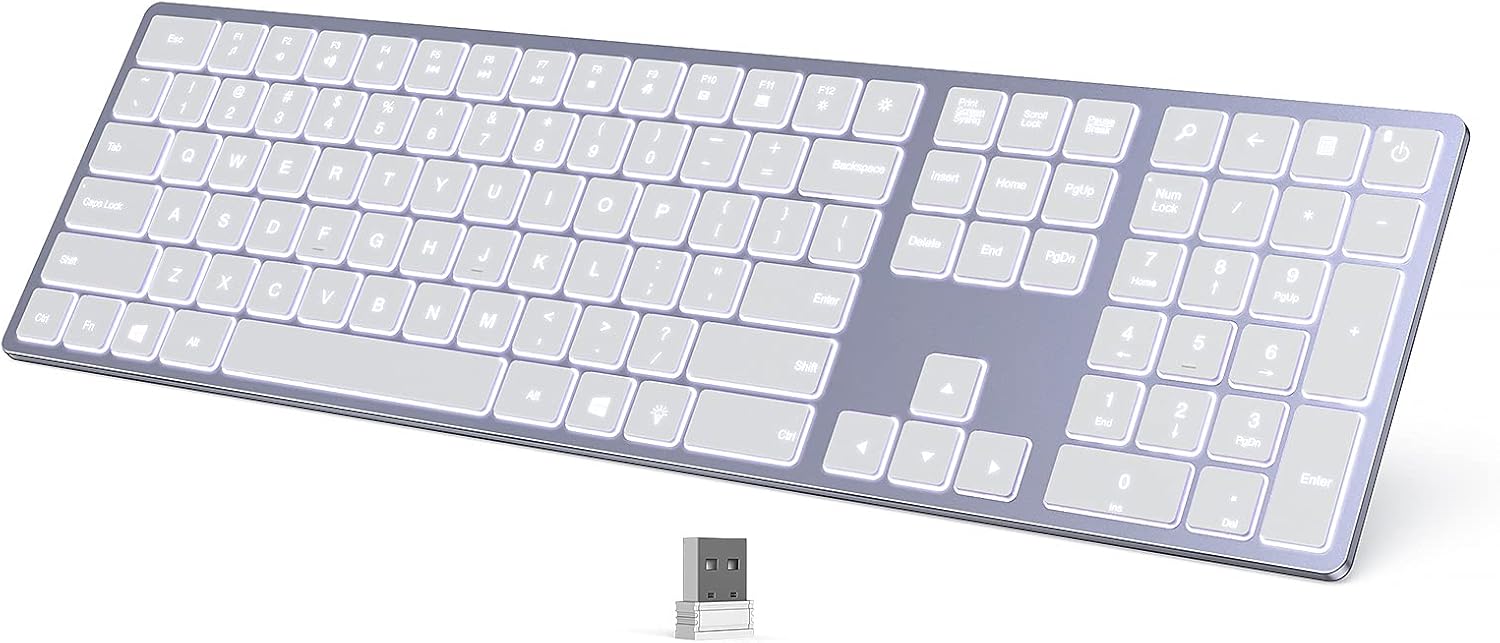
When it comes to programming, comfort and efficiency are key. A programmer’s workspace should be designed for long hours of focused work without causing strain or discomfort. One of the most important tools in any developer’s setup is the keyboard. While there are many options on the market, full size keyboard stand out as an excellent choice for programmers looking to boost both their productivity and comfort. In this article, we’ll explore the benefits of full-size keyboards and provide a guide to some of the best models for programmers.
What Makes Full-Size Keyboards Ideal for Programmers?
A full-size keyboard typically includes all the standard keys, such as the alphanumeric keys, number pad, function keys, and navigation keys. This layout is favored by many programmers because it provides the complete set of controls needed for various coding tasks, data entry, and even multitasking.
Why Choose a Full-Size Keyboard for Programming?
- Complete Key Layout: The inclusion of the number pad, function keys, and directional arrows can improve coding speed and efficiency. For programmers working with numerical data or performing complex operations, the number pad can be a major advantage.
- Ergonomics and Comfort: Full-size keyboards tend to be larger, offering more space for comfortable typing. Many models come with adjustable feet or wrist rests, which can alleviate strain from long programming sessions.
- Increased Productivity: With all the keys you need in one place, there’s less need to rely on shortcuts or switching between different key layouts. This means fewer distractions and smoother workflow.
- Versatility: Full-size keyboards are versatile and can be used not only for coding but for other tasks like gaming, data entry, and everyday computing.
Top Full-Size Keyboards for Programmers
1. Keychron K4 V2
The Keychron K4 V2 is a wireless, full-size mechanical keyboard that’s particularly loved by programmers for its exceptional typing experience.
Key Features:
- Hot-swappable switches: Programmers can customize the typing experience to suit their preferences, whether they prefer tactile, clicky, or linear switches.
- Wireless and wired options: You can connect via Bluetooth or USB-C, providing flexibility for different setups.
- Compact design with a full-size layout: Despite its full-size layout, the K4 V2 manages to stay relatively compact, making it suitable for desks of all sizes.
- RGB lighting: Although not a necessity for programming, the customizable RGB lighting adds a touch of personality to your workspace.
The Keychron K4 V2 offers a great balance of features, performance, and comfort, making it an excellent option for programmers.
2. Logitech MX Keys
For those who prefer a quieter and more refined typing experience, the Logitech MX Keys is a solid choice. While it doesn’t have mechanical switches, its scissor-switch keys are quiet and provide a responsive feel ideal for extended typing sessions.
Key Features:
- Comfortable typing experience: The low-profile keys are easy on the fingers, reducing fatigue during long coding marathons.
- Smart backlighting: The keyboard features smart backlighting that adjusts based on your environment, making it easy to type in low-light conditions.
- Multi-device connectivity: You can switch between multiple devices at the press of a button, a useful feature for programmers who work across different platforms.
- Durability: The MX Keys is built to last, with a premium feel that can withstand heavy use.
While the Logitech MX Keys doesn’t have the tactile feedback of mechanical switches, it makes up for it with comfort and practicality.
3. Corsair K95 RGB Platinum XT
The Corsair K95 RGB Platinum XT is a premium mechanical keyboard that provides a top-tier typing experience for serious programmers. It is designed with performance in mind, offering features that enhance productivity without sacrificing comfort.
Key Features:
- Cherry MX switches: Choose from a variety of Cherry MX switches to customize your typing feel, whether you prefer smooth, linear keystrokes or tactile feedback.
- Dedicated media controls: With dedicated media keys, adjusting volume or playback controls is quick and convenient without interrupting your workflow.
- RGB customization: If you enjoy customizing your workspace, the K95 offers extensive RGB lighting options to make your setup pop.
- Wrist rest: The included wrist rest ensures that you maintain a comfortable hand position during extended programming sessions.
The K95 is on the higher end of the price spectrum, but its features and build quality make it an investment for programmers who demand the best.
4. Microsoft Sculpt Ergonomic Keyboard
For programmers seeking a more ergonomic option, the Microsoft Sculpt Ergonomic Keyboard offers a unique design that reduces wrist strain. While not a traditional mechanical keyboard, it’s perfect for those who prioritize comfort above all else.
Key Features:
- Ergonomic design: The split keyboard and cushioned palm rest ensure that your hands are positioned comfortably, reducing strain over long periods.
- Separate number pad: The separate number pad allows you to place it at a position that’s more comfortable for your workflow.
- Quiet key presses: The scissor-switch keys offer a quiet and soft typing experience, which is ideal for shared workspaces.
While the Microsoft Sculpt might not be as flashy as other options, its focus on ergonomics makes it a great choice for long programming sessions.
Conclusion
When it comes to choosing a keyboard for programming, the full-size keyboard is a top contender due to its full functionality and ergonomic design. Whether you’re looking for mechanical switches for tactile feedback or prefer a quieter, more refined typing experience, there’s a full-size keyboard that fits your needs. From the Keychron K4 V2 for those who want a customizable mechanical experience to the Logitech MX Keys for those seeking comfort with quiet keys, there’s something out there for every type of programmer.
